
Devices
Devices
Register, connect, monitor, and retire the physical devices in your workspace
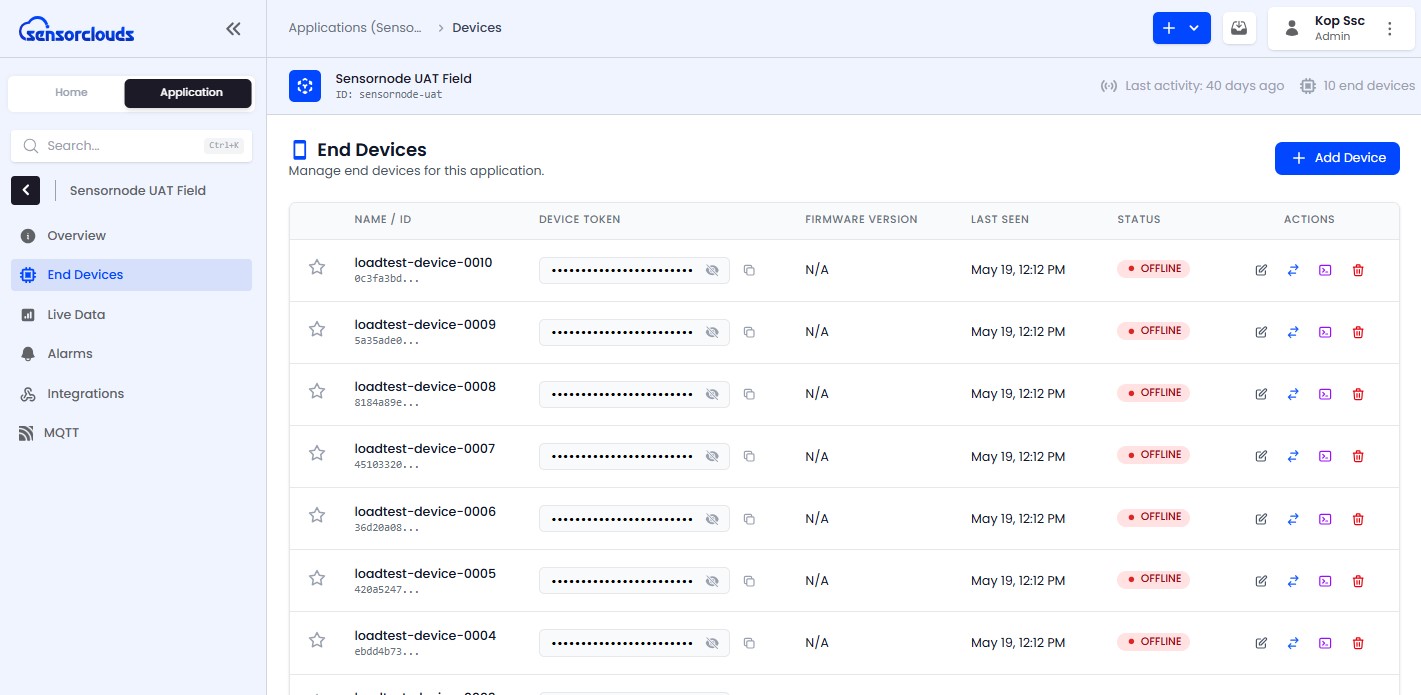
A device is a physical sensor, actuator, or gateway registered in Sensorclouds. Each device has its own identity and MQTT credentials, belongs to one application, and uses one device profile.
Device properties
| Property | Description |
|---|---|
| Name | A human-readable name, such as "Pump 3 - North" |
| Device Token | The device's unique ID, used as its MQTT username (starts with dev_) |
| Application | The application it belongs to |
| Device Profile | The template that sets its MQTT behavior and decoder |
| Connection Status | ONLINE, OFFLINE, or UNKNOWN |
| Last Seen | When the platform last heard from it |
| Firmware Version | The firmware it's running, updated by OTA campaigns |
| Location | Optional coordinates, shown on maps |
The device lifecycle
| Stage | What you do | Learn more |
|---|---|---|
| 1. Register | Create the device in an application and choose its profile | Registering Devices |
| 2. Get credentials | Copy the Device Token and generate an MQTT password | Device Credentials |
| 3. Connect | Configure the device and connect to the broker | Connecting Your Device |
| 4. Monitor | Watch live data, status, dashboards, and alarms | Device Status |
| 5. Control | Send commands and use dashboard toggles | Device Commands |
| 6. Update | Roll out firmware with OTA campaigns | OTA Updates |
| 7. Retire | Delete the device when it's decommissioned | Device Detail |