
Devices
Device Status
How Sensorclouds detects and displays device online/offline status
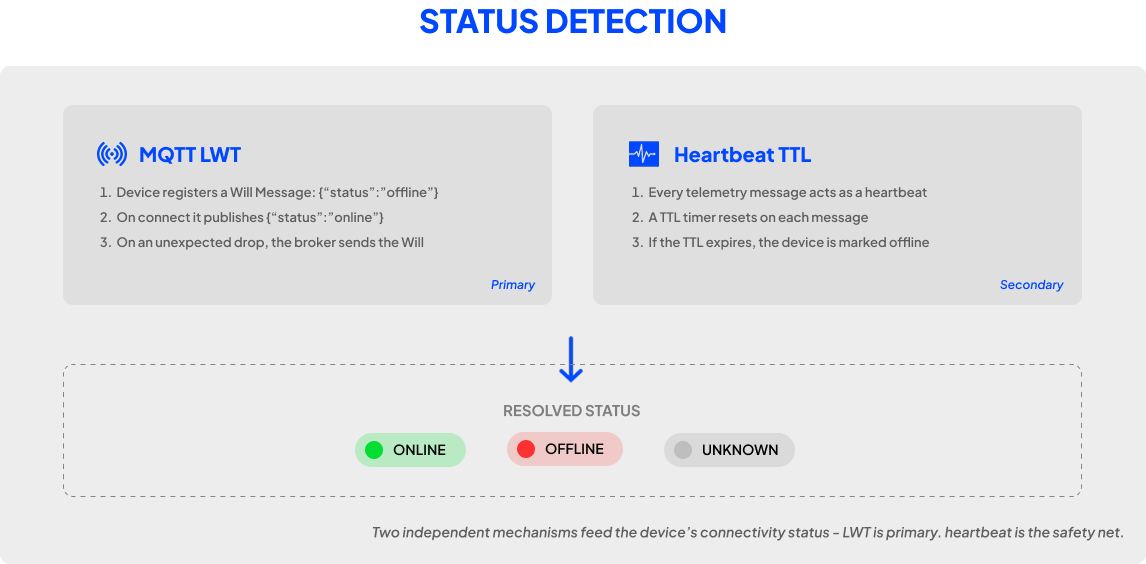
Sensorclouds uses two complementary mechanisms to track device connectivity status.
Status Types
| Status | Indicator | Meaning |
|---|---|---|
| ONLINE | Green animated pulse | Device is actively connected |
| OFFLINE | Red dot | Device has disconnected or lost connection |
| UNKNOWN | Gray dot | No status information available |
MQTT Last Will and Testament (LWT)
The primary status mechanism uses MQTT's built-in LWT feature:
- When connecting, the device configures a Will Message with payload
{"status": "offline"} - On successful connection, the device publishes
{"status": "online"}to its status topic - If the device disconnects unexpectedly, the broker automatically publishes the Will Message
tenant/{tenantId}/app/{applicationId}/device/{deviceToken}/statusDevice → PlatformDevice status messages (online/offline)
Heartbeat System
A secondary detection mechanism using heartbeat tracking:
- Every telemetry message acts as a heartbeat
- A heartbeat timer is set for the device on each message
- When the TTL expires (no messages received within the timeout), the device is marked as OFFLINE
- This provides offline detection independent of MQTT LWT - useful when LWT is not configured
Dashboard Indicators
- Device lists show colored status dots next to each device name
- The tenant home dashboard displays aggregate online/offline counts
- Application overview pages show device status distribution
For the most reliable status tracking, always configure MQTT LWT on your devices. See Connecting Your Device for setup instructions.