
Devices
Device Credentials
Understand MQTT authentication for devices in Sensorclouds
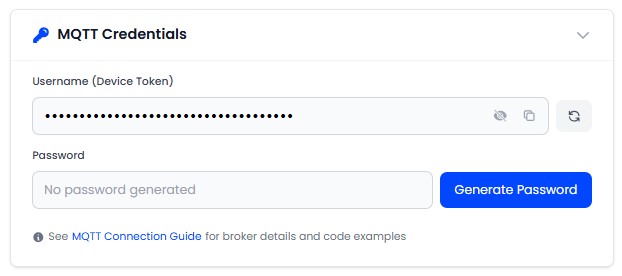
Each device has unique MQTT credentials for authenticating with the broker.
Username (Device Token)
- Auto-generated unique identifier in the format
dev_{randomBytes}(e.g.,dev_a1b2c3d4e5) - Used as the MQTT username when connecting
- Can be regenerated (invalidates all previous connections)
- Visible on the device's Settings tab
Password
- Generated as a 32-character URL-safe random string
- Securely hashed - the plaintext is shown only once at generation
- Can be regenerated at any time from the device settings
Store the MQTT password securely on your device immediately after generation. It cannot be recovered - only regenerated.
Credential Flow
Register a device in the platform - a Device Token is generated automatically
Navigate to the device's Settings tab and click Generate Password to create MQTT credentials
Copy the password immediately - it is shown only once and cannot be recovered
Configure your device firmware with these credentials
The device connects to the MQTT broker using these credentials
The broker validates credentials via the backend auth endpoint
Security Details
- Passwords are securely hashed
- Plaintext is never stored or recoverable after initial display
- Regenerating credentials disconnects the device immediately
- Failed authentication attempts are rate-limited and logged