
Notifications
Notification Center
View, filter, and manage your notifications
The Notification Center is where you review and manage all your notifications for the workspace you have open.
To open it: choose Notifications in the sidebar, or click the bell in the header and select View all notifications.
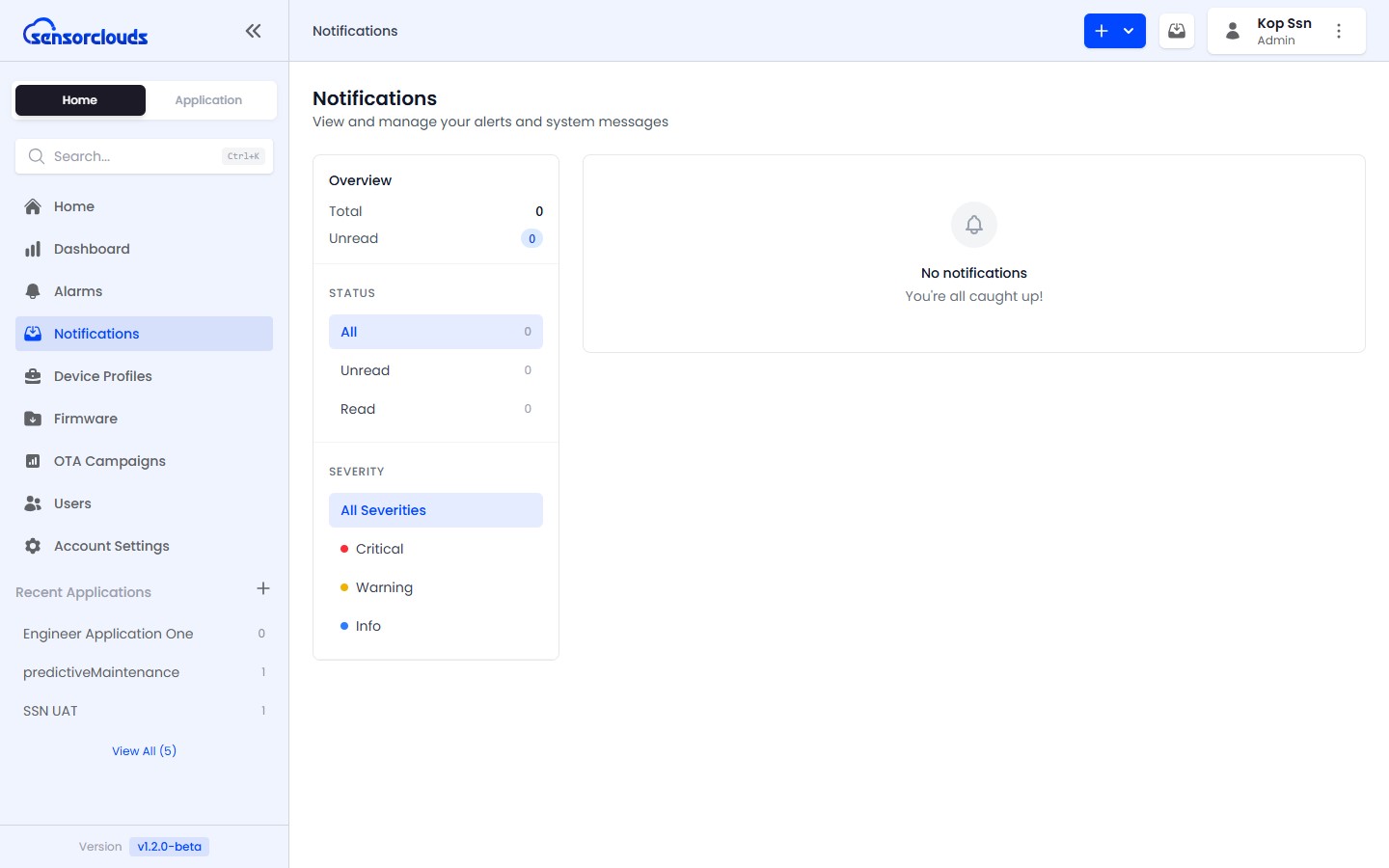
Layout
| Panel | Contains |
|---|---|
| Left | Overview stats (Total, Unread, Critical) and filters |
| Right | Your notifications, newest first |
Filtering
| Filter | Options |
|---|---|
| Status | All, Unread, Read |
| Severity | All, Critical, Warning, Info |
| Type | The notification types present in your list |
To triage quickly, set Status: Unread and Severity: Critical.
Actions
| Action | What it does |
|---|---|
| Mark as read | Click a notification, or its Mark as read icon |
| Mark all as read | Clear every unread notification at once |
| Delete | Remove a notification from your list, after a confirmation |
| Bulk delete | Tick several notifications and delete them from your list |
Read state and deletions are personal. Deleting a notification hides it for you only. Your teammates still see it in their own lists.
Header bell
| Element | What it does |
|---|---|
| Unread badge | Updates instantly as new notifications arrive |
| Dropdown | Shows your most recent notifications. Click one to open the related item |
| Mark all read | Clears the badge without opening the full center |
| View all notifications | Opens the Notification Center |
Troubleshooting
| Symptom | Cause | Fix |
|---|---|---|
| The list says No notifications | Nothing has happened that you're allowed to see, or a filter hides everything | Set Status, Severity, and Type back to All |
| You don't get a type of notification | That category is switched off in your preferences | Switch it on in Your Profile → Notifications |
| A teammate sees a notification you don't | It's about a device or application you can't access, or it's personal to them (such as OTA campaign results) | Ask an Admin about your access |
| Notifications from another workspace are missing | The bell and the Notification Center show the workspace you have open | Switch workspace |
| The badge doesn't update | The live connection dropped | Reload the page |