
Integrations
Integrations Overview
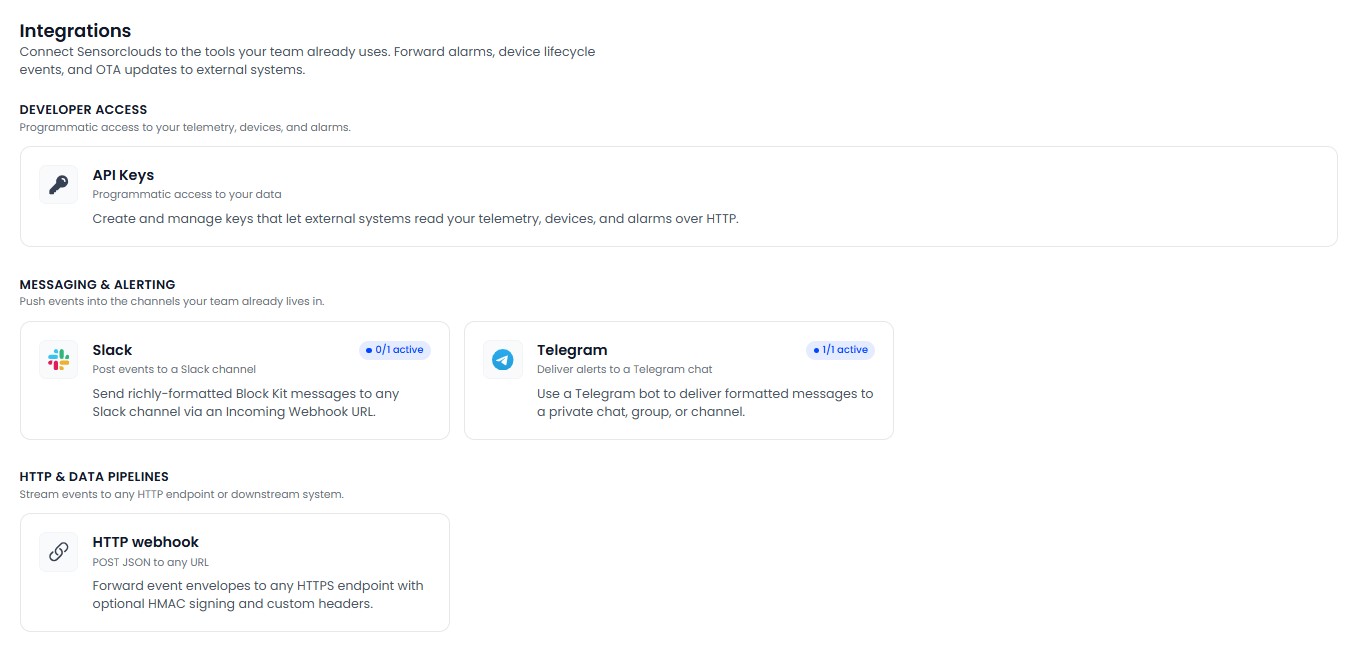
Send Sensorclouds events to Slack, Telegram, or your own systems
ADMIN
Integrations deliver platform events (alarms, device status changes, firmware results) to the tools your team already uses. Set one up once, and every matching event is sent automatically.
Connectors
| Connector | Delivers to | Good for |
|---|---|---|
| Slack | A Slack channel, via an Incoming Webhook URL | Team alert channels |
| Telegram | A chat, group, or channel, via a bot | Field teams on mobile, plus scheduled reports |
| HTTP webhook | Any HTTPS endpoint, as signed JSON | Your own systems: ticketing, ERP, data pipelines |
More connectors are listed as coming soon in the catalog.
Scope
| Scope | Receives events from |
|---|---|
| Workspace-wide | Every application |
| One application | Only that application. Set it from the application's Integrations page |
Example
a workspace-wide Slack integration for all CRITICAL alarms, plus a Telegram integration scoped to North Site for that site's technicians.
Health at a glance
The Integrations page shows each connector's number of connections and its last delivery status. Every HTTP delivery is recorded in a delivery log with its status, response code, and duration.
Two ways events are sent
| Way | When it fires | Set up on |
|---|---|---|
| Event subscription | Every event matching the integration's event selection | The integration (Choosing Events) |
| Alarm action | When one specific alarm rule fires | The alarm rule (Alarm Actions) |